Take Your Business Global,
The World Pays, You Grow
Accept the payments from around the world
Contact us
Power your global growth by enabling seamless cross border payments and accept international
cards, wallets, and local payment methods — all through one powerful platform. Accept 10+
currencies from 100+ countries, automate compliance, and get settled directly in INR.
 Compliant with RBI's PA-CB guidelines
Global Collection Accounts
- Stop losing margins to heavy wire fees and intermediary banks.
- Open virtual accounts in the US, UK, EU, and more to receive foreign payments from India just like a local business.
- Stop losing margins to heavy wire fees and intermediary banks. Open virtual accounts in the US, UK, EU, and more to receive foreign payments from India just like a local business. Funds are automatically converted at competitive FX rates and settled directly into your Indian bank account without delays using a secure cross border payment solution provider in India.

Automated e-FIRA & RBI-Compliant Cross Payments

Eliminate the manual chase for Foreign Inward Remittance Certificates.

Automate the e-FIRA issuance process per RBI OPGSP guidelines

Operate with confidence using an RBI authorised cross border payment aggregator

GST, IEC, and regulatory documentation are always audit-ready and stress-free while you receive international payments in India
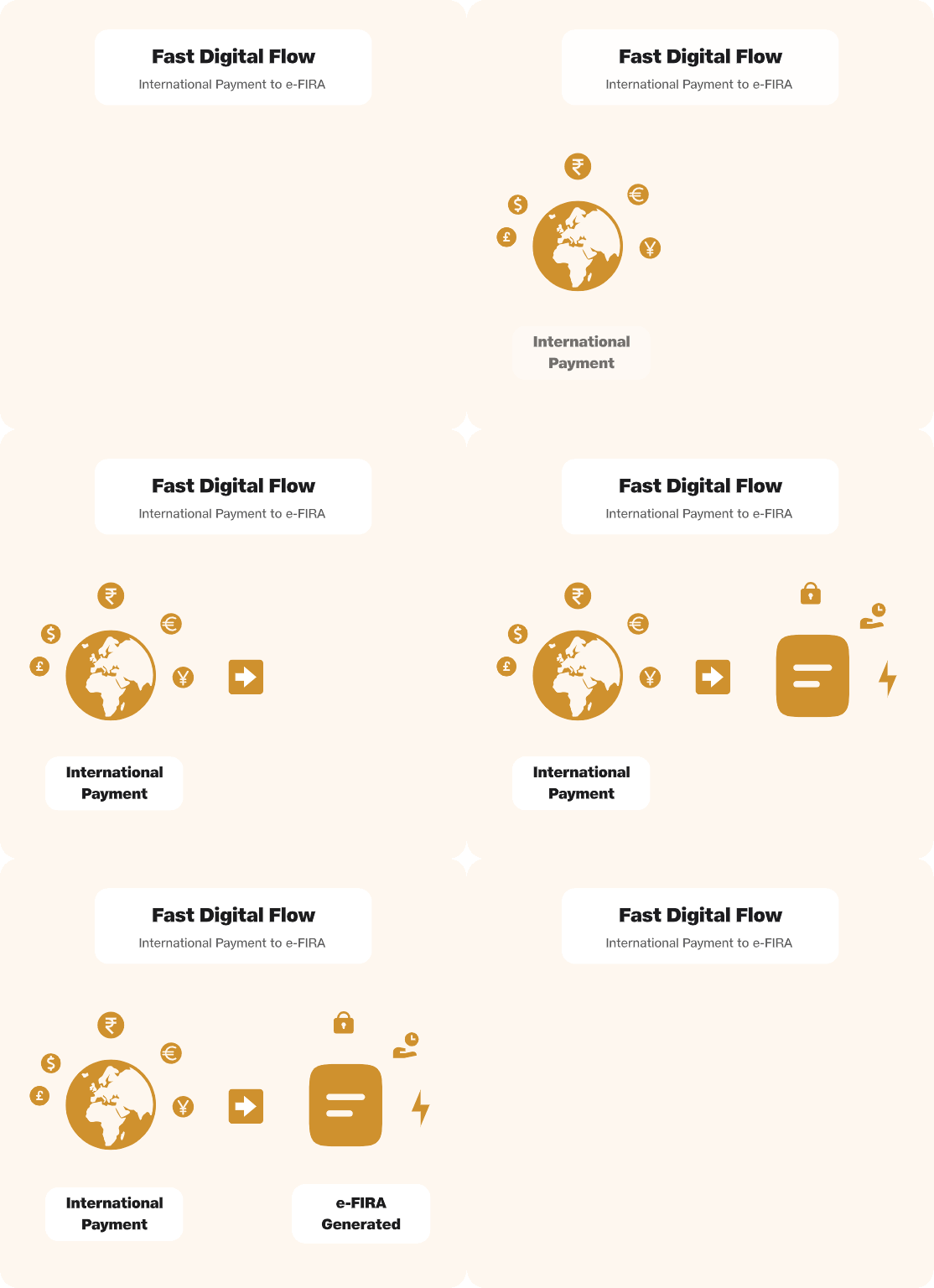
Multi-Currency Payment Gateway
Accept international cards and local payment rails with a secure payment gateway.

Integrate a world-class checkout experience on your website supporting international Visa, Mastercard, and Amex.
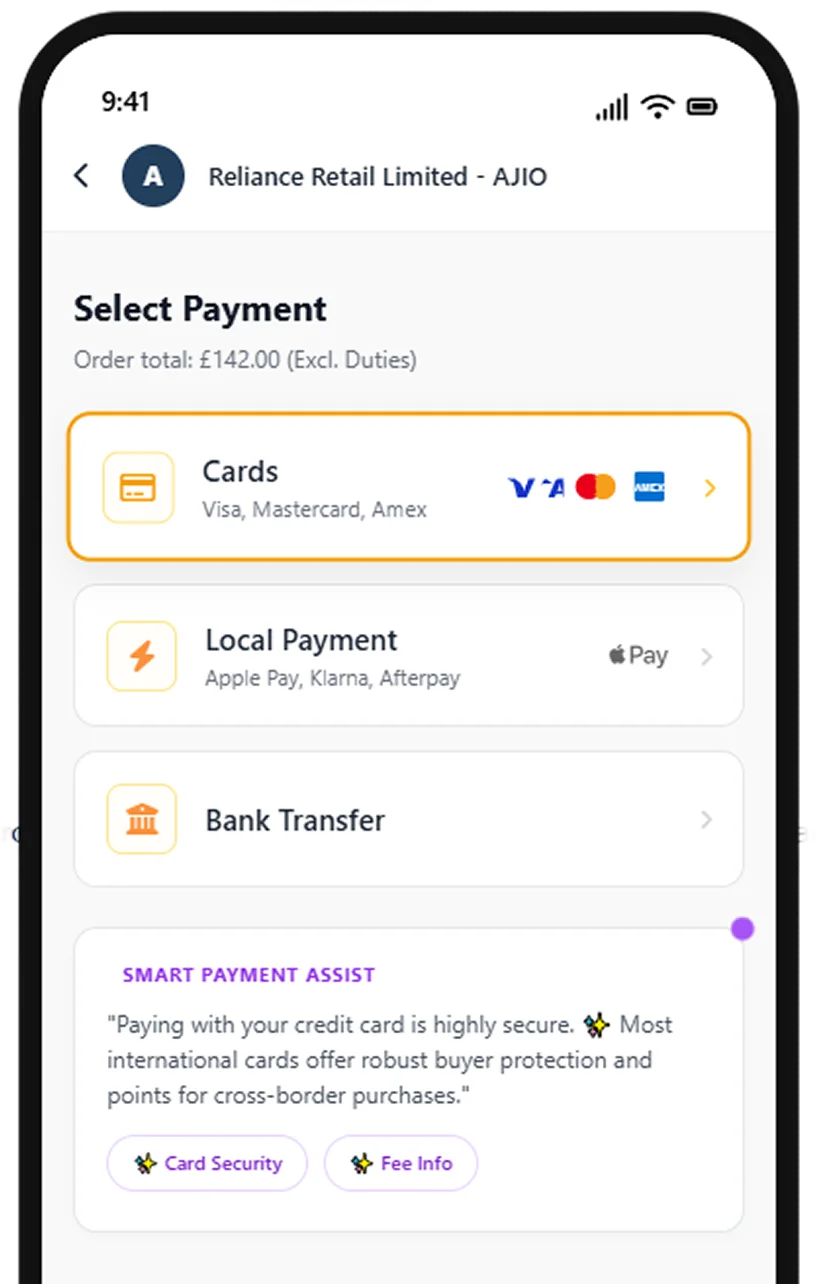

Supporting 50+ preferred local payment rails and international wallets (Apple Pay, Google Pay).
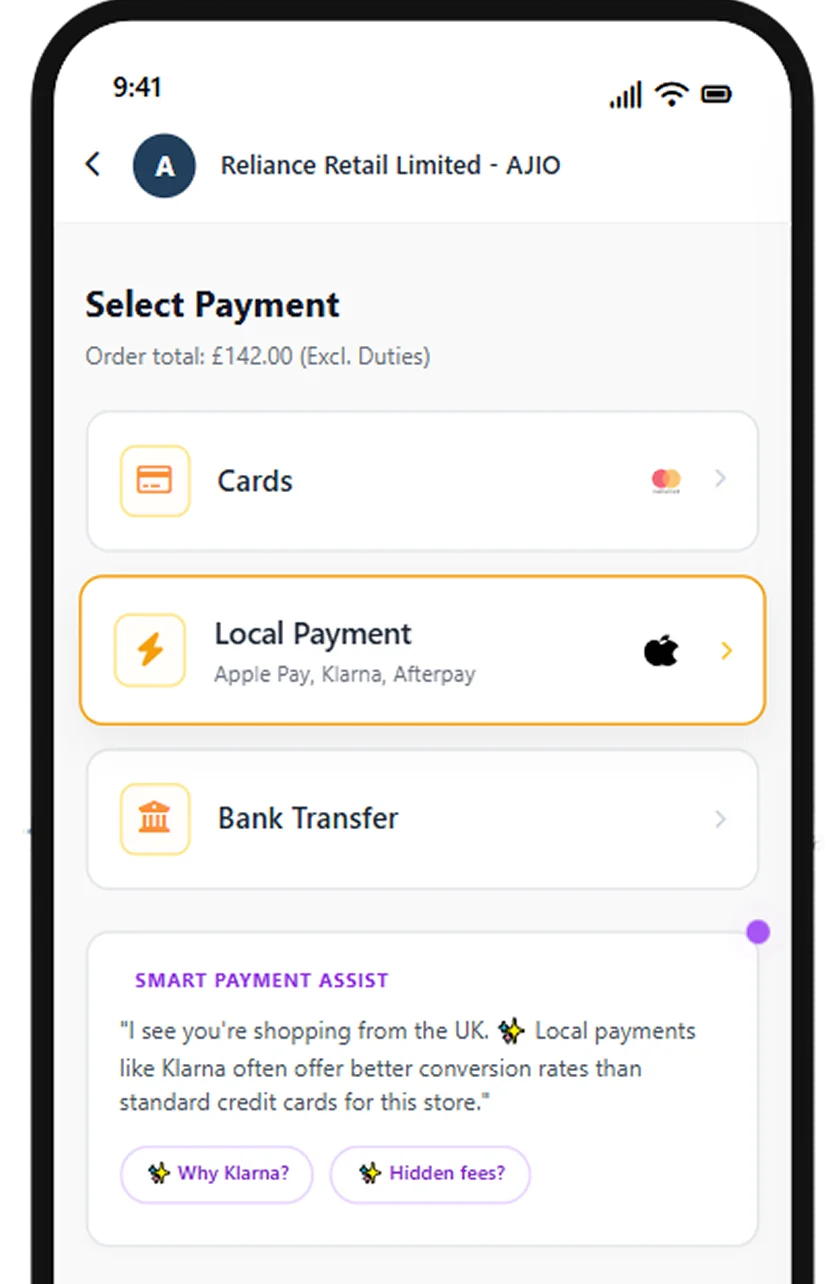

Accept international payments seamlessly, giving your customers the comfort of paying through a secure online payment gateway.
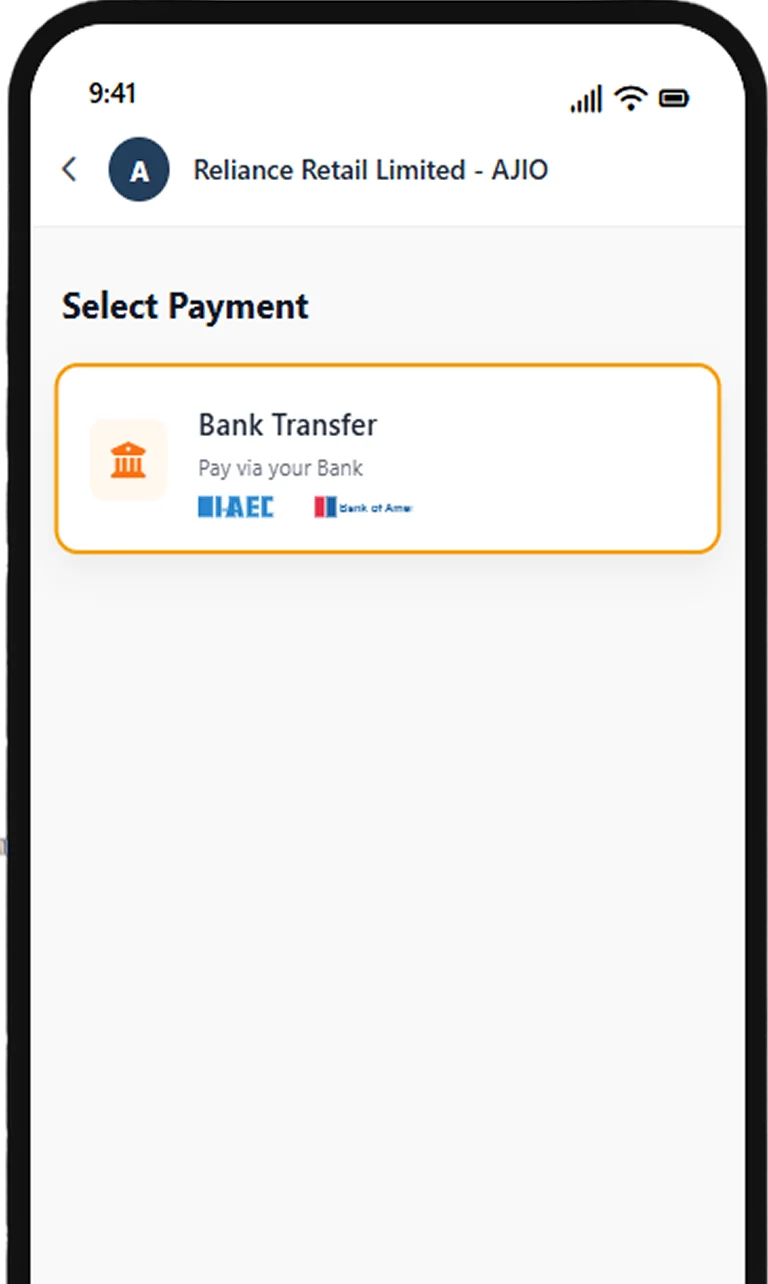
How to Receive International Payments in India:
The Export Journey

Onboard
Complete paperless KYC and go live instantly with Plug & Play APIs on our online payment platform.

Checkout
Buyer pays via their preferred local payment method.

Real-Time Receipt
Instant digital confirmation of funds for your online payments.

Convert & Settle
Automated FX conversion and direct deposit to your INR account.

Compliance
Instant e-FIRA generation for your records

Global Subscriptions & Recurring Payments
- Easily set up and manage recurring international payments across borders.
- Handle complex mandates and auto-debits for international cards.
- Recurring revenue flows without interruption while enabling you to receive international payments in India efficiently.
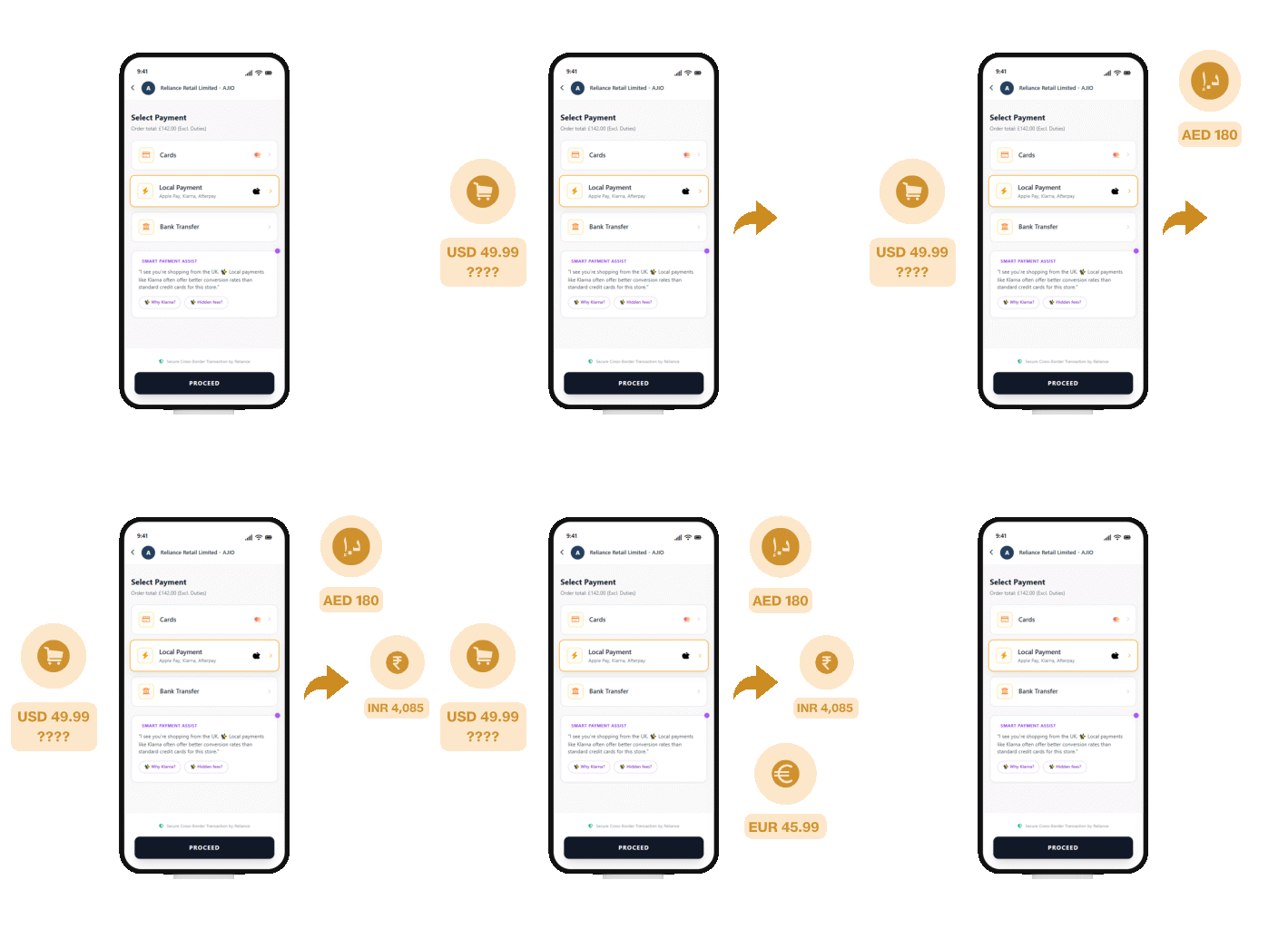
Multi-Currency Pricing
- Boost international checkout conversion rates by showing prices & charging customers in their local currency.
- Avoid cart abandonment due to currency confusion or unexpected conversion fees on credit card statements.
- Accept international payments in India efficiently.

Secure Cross Border Payments with Global Risk & Fraud Protection
- Protect your business with our secure payment gateway & intelligent ML-driven risk engine.
- Prevent fraud and chargebacks.
- Enable secure & online payments through 3D Secure Authentication and dynamic risk scoring.

Zero-Code Platform Integrations
- Offering pre-built plugins & extensions for all major e-commerce payment platforms including Shopify, WooCommerce, Magento, and more.
- Connect your global store to our e-commerce payment gateway.
- Start accepting international payments in India with just a few clicks.
The Edge for Exporters

Seamless Integration
Easy-to-use Plug-and-play APIs.

Maximized Margins
No hidden landing fees or surprise bank charges when you accept international payments in India.

Regulatory Peace of Mind
Built-in adherence to FEMA and RBI guidelines.

Speed to Market
Digital onboarding to go live with cross-border payments in record time.
Frequently Asked Questions
Jio Payment Solutions Ltd (JPSL) Business is a payment aggregator and gateway provided by Jio Payment Solutions Limited (formerly known as Reliance Payment Solutions Ltd.), a subsidiary of Jio Financial Services Limited (JFSL) (formerly known as Reliance Strategic Investments Ltd.). It is a comprehensive business application designed to empower merchants with seamless payment solutions. It provides secure digital payment services, including online payments, offline payments, QR code payments, and UPI payments, enabling businesses to manage collections and payouts efficiently. With JPSL Business, businesses can streamline their payment operations and provide a seamless payment experience to their customers.
The JioPay Business App is designed for retailers, merchants, and businesses to accept and manage payments seamlessly. It acts as an all-in-one online payment platform where merchants can perform payment processing activities like accepting payments, viewing past transactions, issuing refunds, editing their profile and much more. The app ensures fast, reliable, and secure transactions for both online and offline payments
- To download the JioPay Business App, follow these steps:
- Open the Google Play Store app on your phone.
- Search for "JioPay Business" and select it.
- Tap "Install" to download and install the app.
- Start using JPSL's digital payment services for online payments and offline payments.
- Alternatively, download the JioPay Business App directly from: https://play.google.com/store/apps/details?id=com.jiopay.business
- Note: The JioPay Business App is available for Android devices on the Google Play Store.
At the time of login to the JPSL Business App/Dashboard, click on “Forgot Password” and follow the instructions indicated to reset your password. This ensures safe access to your account and uninterrupted use of JPSL’s payment solutions and merchant services
- If you are unable to log in to the JPSL Business App or Dashboard, try the following:
- Check your internet connection: Ensure you have a stable internet connection by switching between Wi-Fi and mobile data.
- Reinstall the app: Uninstall the JioPay Business App and reinstall it to ensure you have the latest version.
- Verify your username and password: Double-check that you are entering the correct credentials. Use the "Forgot Password" option if you need to reset your password.
- If the login issues persist, kindly contact merchant.support@jiopay.in for further assistance. Our team ensures uninterrupted access to secure payment gateway services and online payment platforms.
- If the JPSL Business App is crashing on your phone, try the following steps:
- Check your internet connection: Ensure you have a stable internet connection by switching between Wi-Fi and mobile data.
- Delete and reinstall the app: Uninstall the JioPay Business App and reinstall it to get the latest version.
- Check phone software updates: Make sure your phone's software is up to date by checking for available updates.
- If the app still crashes, contact merchant.support@jiopay.in for assistance. Our team will help you restore access to payment solutions and merchant services.