Jio Finance PoS Device:
Where Payments Meet
Power
Contact usAll-in-One Android PoS with versatile payment capabilities
Meet the future of in-store payments with the JioFinance PoS Device powered by Jio Payment Solutions
Ltd. — a powerful solution designed to support modern payment solutions, merchant services, and
seamless offline payments.
Meet the future of In-store payments: JioFinance PoS Device - Powered by Jio Payment Solutions Ltd.

Universal Payments
Cards, UPI payment, QR payment, EMI, SMS-Pay, Tap-n-Pay, & DCC.

Affordability Suite
Customer and Brand EMIs to boost conversion.

Multi-acquirer
Higher uptime and optimized routing for better payment success.

All-in-one POS
Smart and durable device with a built-in scanner.

Offline/Flight-mode payments
Continue accepting payments even without connectivity.

Paperless invoicing
Faster, eco-friendly billing with digital receipts and payment links.

Retail Digitization
Smarter retail operations with seamless billing synchronization.
All-in-One Jio Finance PoS: Built for the future
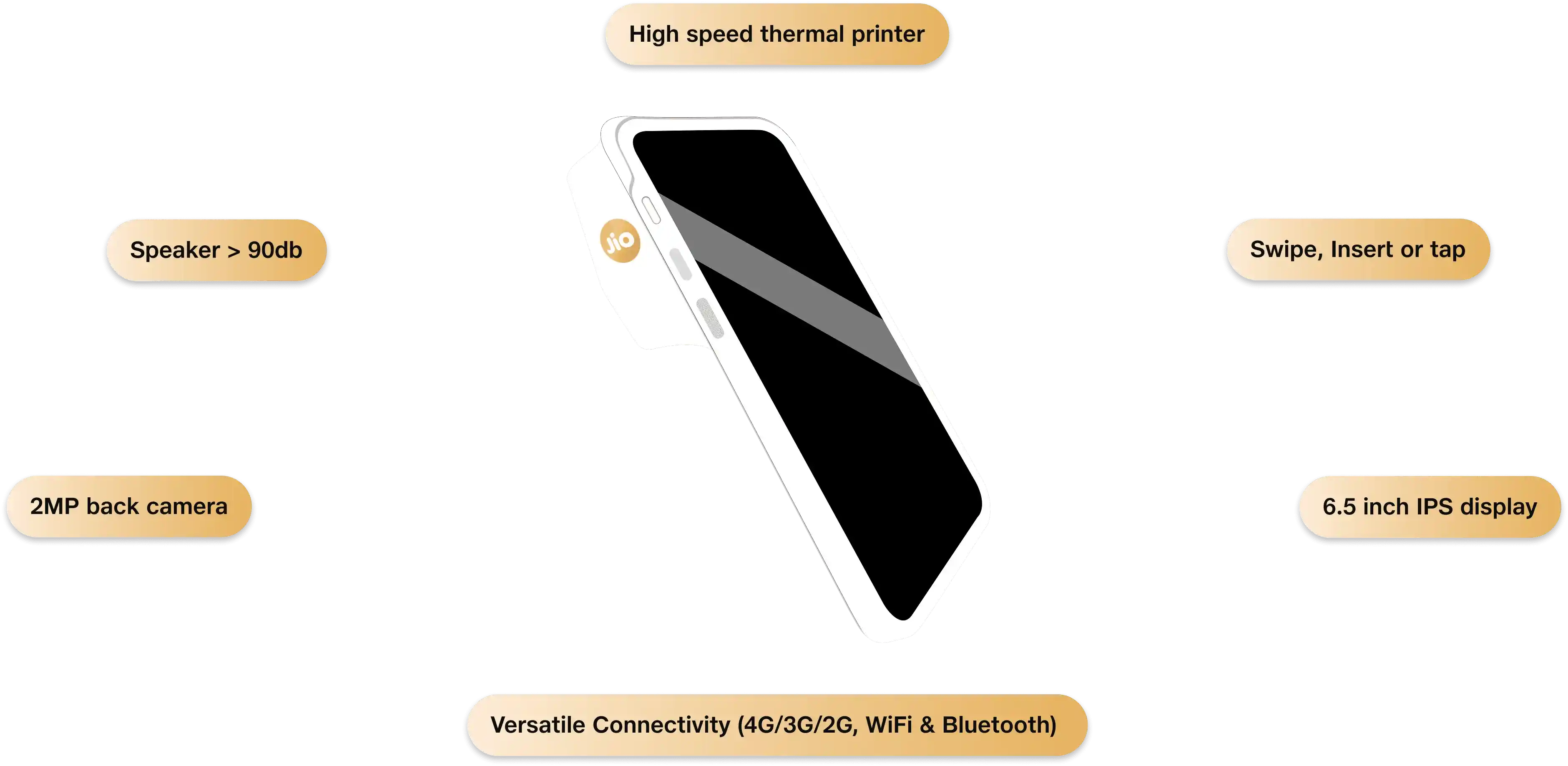
Why Choose the JioFinance POS Device?

- Boost sales with brand & customer EMI

- Real-time insights & smart dashboards

- Enable high-value purchases with international card acceptance

- Contactless and faster checkout using UPI payment and QR code payment

- Multiple payment options for every customer — cards, scan to pay, and digital modes

- Higher payment success rate with smart routing

- Easy integration with billing systems
Built For
Frequently Asked Questions
Jio Payment Solutions Ltd (JPSL) Business is a payment aggregator and gateway provided by Jio Payment Solutions Limited (formerly known as Reliance Payment Solutions Ltd.), a subsidiary of Jio Financial Services Limited (JFSL) (formerly known as Reliance Strategic Investments Ltd.). It is a comprehensive business application designed to empower merchants with seamless payment solutions. It provides secure digital payment services, including online payments, offline payments, QR code payments, and UPI payments, enabling businesses to manage collections and payouts efficiently. With JPSL Business, businesses can streamline their payment operations and provide a seamless payment experience to their customers.
The JioPay Business App is designed for retailers, merchants, and businesses to accept and manage payments seamlessly. It acts as an all-in-one online payment platform where merchants can perform payment processing activities like accepting payments, viewing past transactions, issuing refunds, editing their profile and much more. The app ensures fast, reliable, and secure transactions for both online and offline payments
- To download the JioPay Business App, follow these steps:
- Open the Google Play Store app on your phone.
- Search for "JioPay Business" and select it.
- Tap "Install" to download and install the app.
- Start using JPSL's digital payment services for online payments and offline payments.
- Alternatively, download the JioPay Business App directly from: https://play.google.com/store/apps/details?id=com.jiopay.business
- Note: The JioPay Business App is available for Android devices on the Google Play Store.
At the time of login to the JPSL Business App/Dashboard, click on “Forgot Password” and follow the instructions indicated to reset your password. This ensures safe access to your account and uninterrupted use of JPSL’s payment solutions and merchant services
- If you are unable to log in to the JPSL Business App or Dashboard, try the following:
- Check your internet connection: Ensure you have a stable internet connection by switching between Wi-Fi and mobile data.
- Reinstall the app: Uninstall the JioPay Business App and reinstall it to ensure you have the latest version.
- Verify your username and password: Double-check that you are entering the correct credentials. Use the "Forgot Password" option if you need to reset your password.
- If the login issues persist, kindly contact merchant.support@jiopay.in for further assistance. Our team ensures uninterrupted access to secure payment gateway services and online payment platforms.
- If the JPSL Business App is crashing on your phone, try the following steps:
- Check your internet connection: Ensure you have a stable internet connection by switching between Wi-Fi and mobile data.
- Delete and reinstall the app: Uninstall the JioPay Business App and reinstall it to get the latest version.
- Check phone software updates: Make sure your phone's software is up to date by checking for available updates.
- If the app still crashes, contact merchant.support@jiopay.in for assistance. Our team will help you restore access to payment solutions and merchant services.